Live API
Your class on every screen in the room
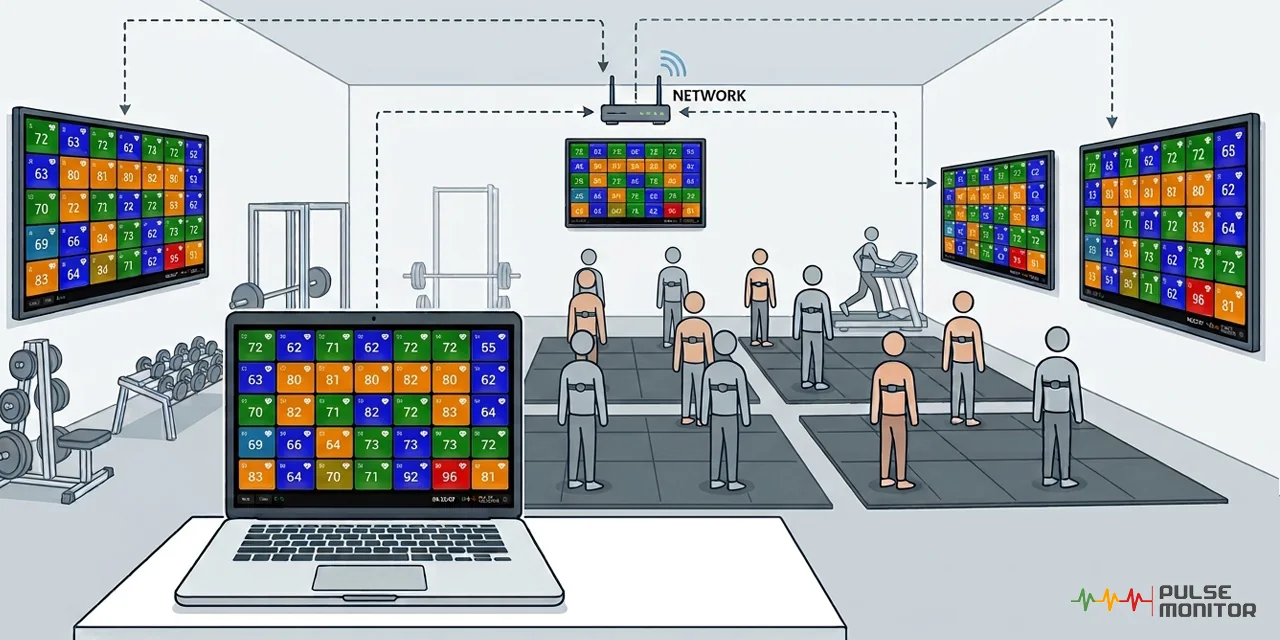
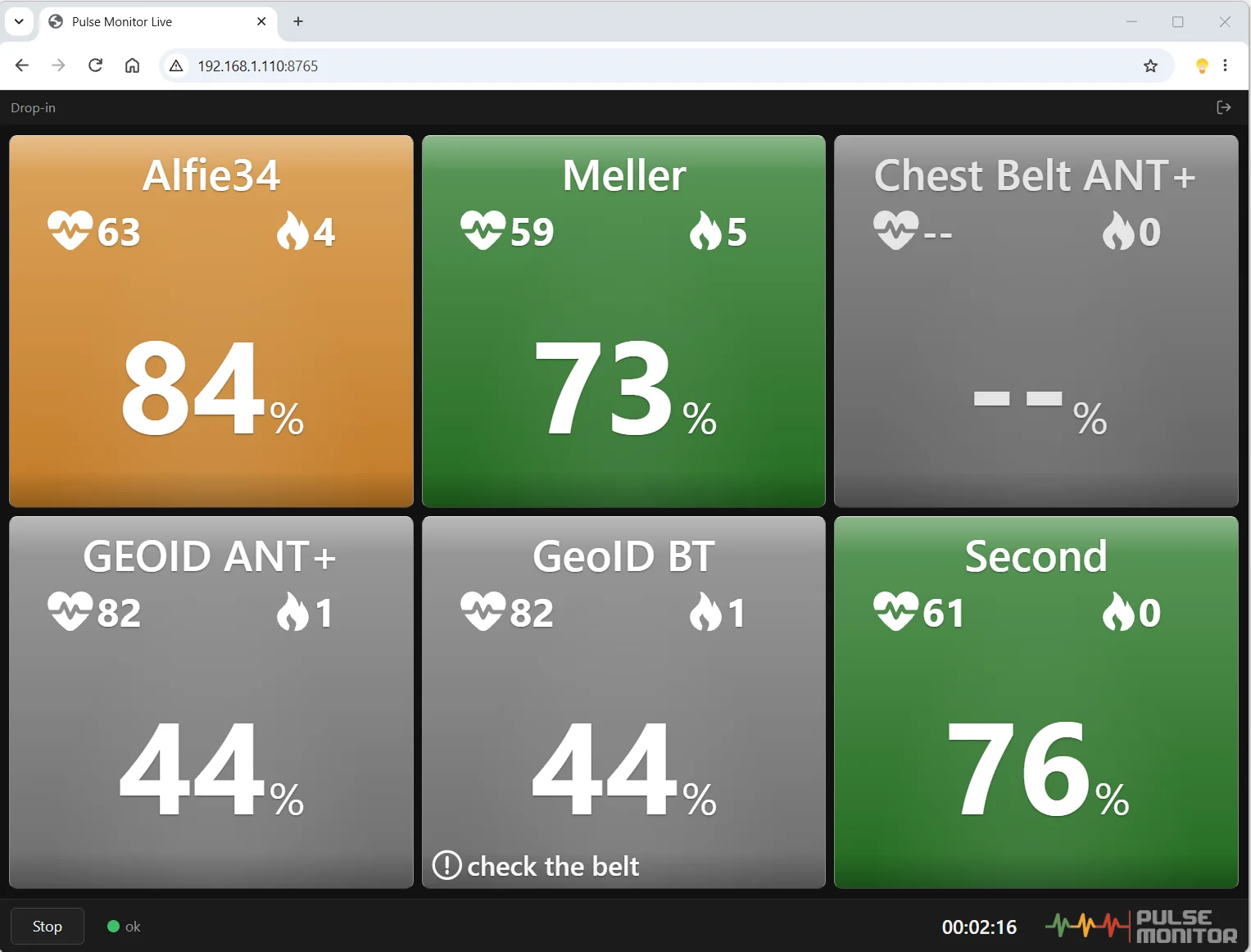
The Live API lets Pulse Monitor share the heart rates of your class, as they happen, with other devices. Open the live view on a second monitor, a TV on the wall, a tablet at the front desk or a phone - the colourful boxes you see on the trainer's computer appear there too.
It also lets developers build their own screens, dashboards and tools on top of the same live data.
How it works
Three steps, no installation on the other devices
While a training or a Drop-in session is on the screen, Pulse Monitor runs a small server on the trainer's computer. Other devices on the same network connect to it and show the data.
-
1
Switch it on
In Pulse Monitor 5 open Settings → Live API and tick Publish live training data on the local network. The tab shows the address and an 8-character access key.
-
2
Start a training
Open a training or a Drop-in session as usual. A Live indicator on the bottom bar tells you that the data is being shared.
-
3
Open it anywhere
Type the address into the browser of any device on the same network and enter the key. That's it - the live view appears, and it follows the training second by second.
You stay in control. The data goes straight from the Pulse Monitor computer to the devices you choose, inside your own network, and is encrypted. Only people who know the access key can read it, you can replace the key at any moment, and the feature can be switched off completely. Pulse Monitor and Radeal receive no data.
The Live API is available in Pulse Monitor 5, with licences that include it.
Pulse Monitor Live for TV
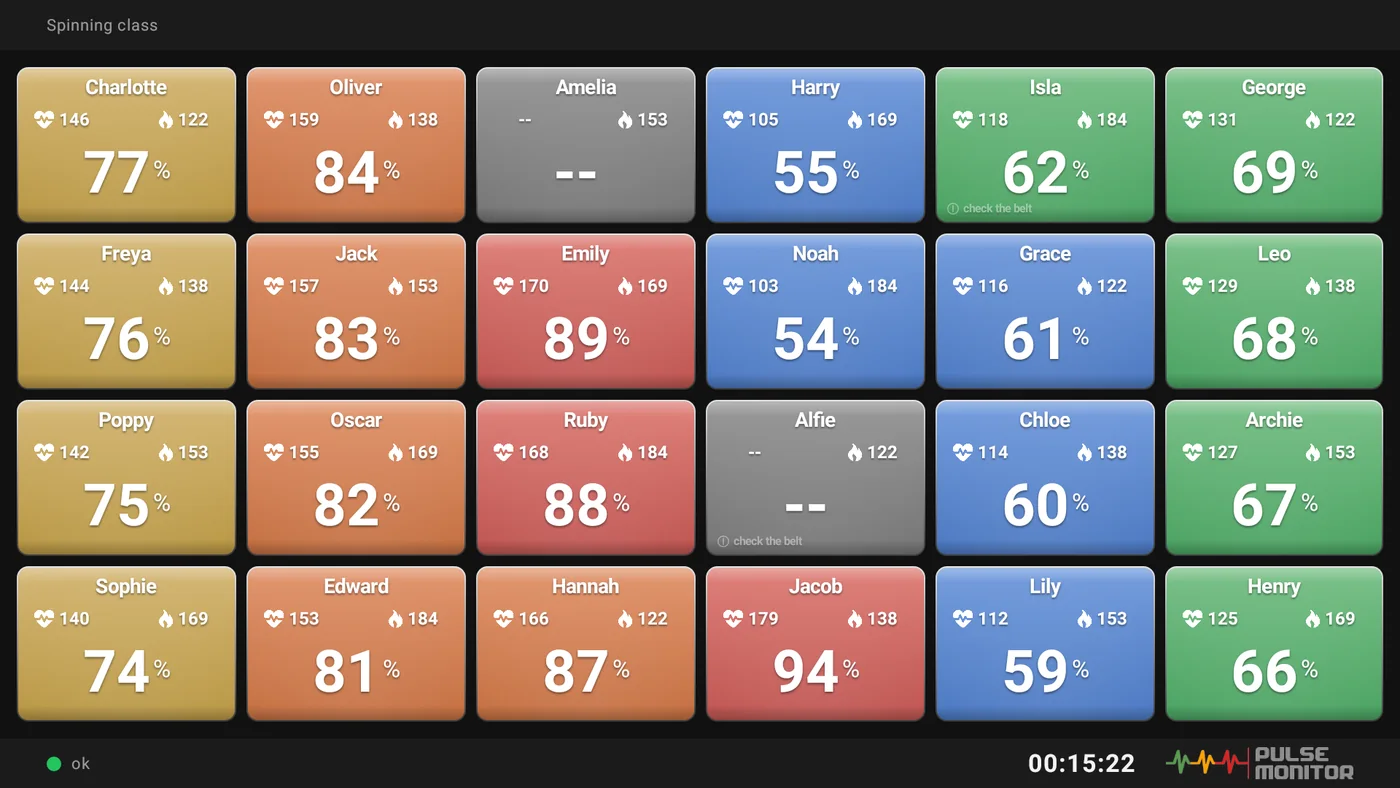
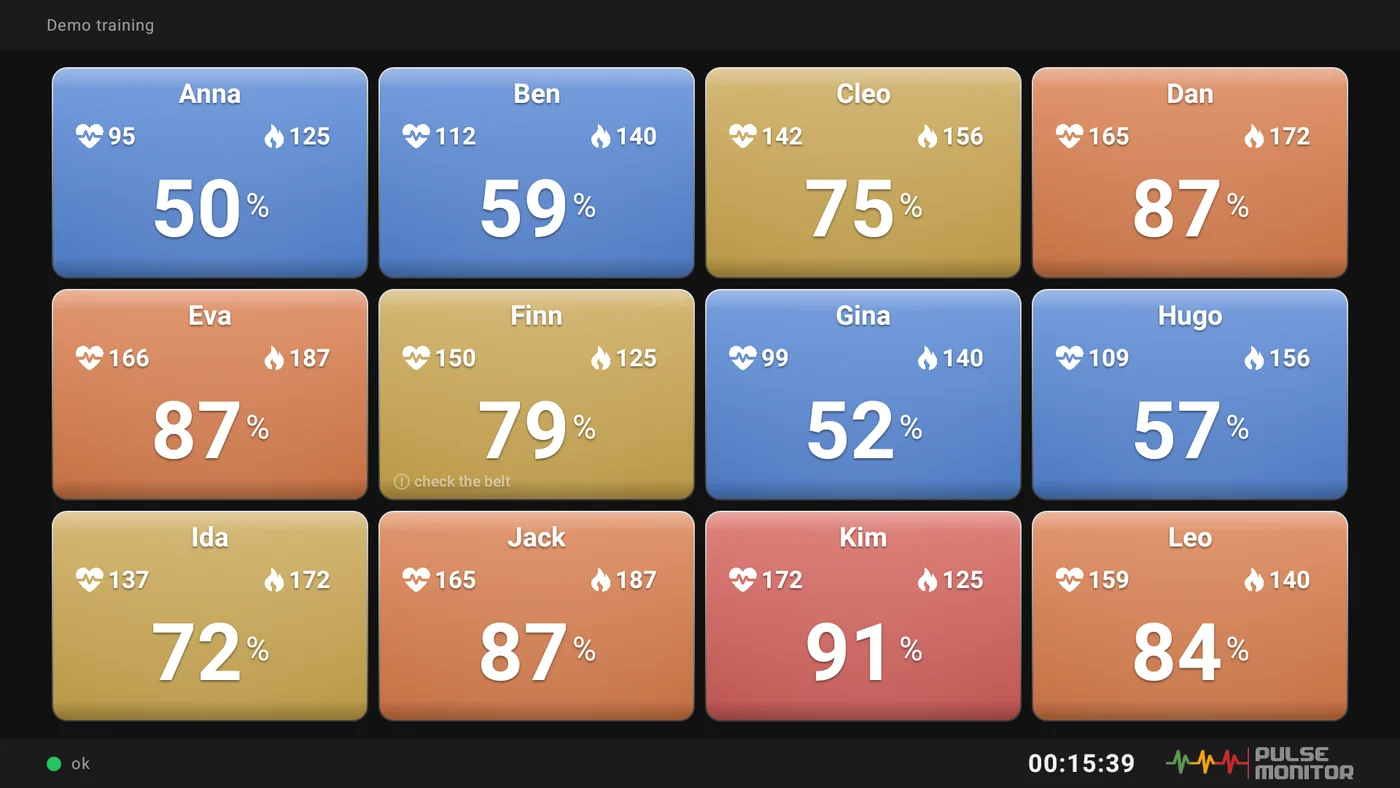
A ready-made example of what the Live API can do: an app for Android TV and Google TV that puts your class on the big screen of the studio.
- One box for every participant, up to 42, adapting to the size of the screen
- Colours that follow the heart rate zones, and a "check the belt" hint
- Choose what the boxes show: % of maximum, pulse or calories
- No account, no ads. Type demo as the address to try it without Pulse Monitor
Enter the address and the key from Pulse Monitor once, and the TV shows every training that you start on the computer. The TV and the computer must be on the same network.
Want to build your own?
The data format, the connection details and ready-to-run examples are free and open on GitHub. The browser live view there is a good starting point for your own screen.