
Google account settings for sending email reports.
Gmail account requires additional settings to be used as an SMTP server for sending reports.
Because Google is constantly modifying the content, the screenshots below may be slightly different from what you will see in your account. However, the entire configuration process is similar.
SMTP settings for Gmail:
SMTP server address: smtp.gmail.com
SMTP User: [Your Gmail address]
SMPT Password: Read below carefully
SMTP port: 587
SSL: yes
Step 1.
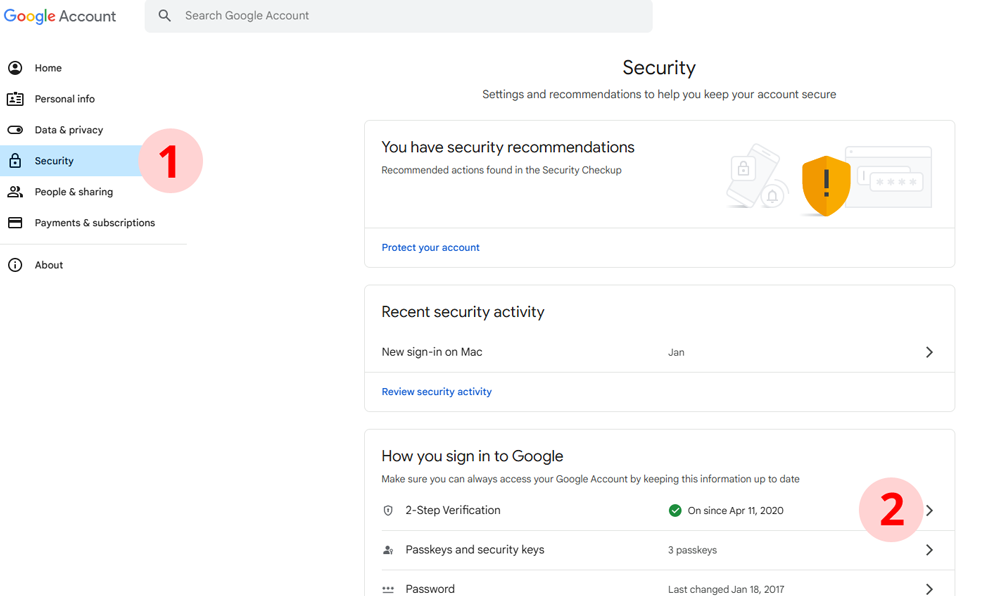
1) Log in to your account on google.com and go to your Account Settings . Select "Security" submenu.
2) Find the "How you sign in to Google" section and select "2-Step Verification"
Here is the direct link: https://myaccount.google.com/apppasswords
Step 2.
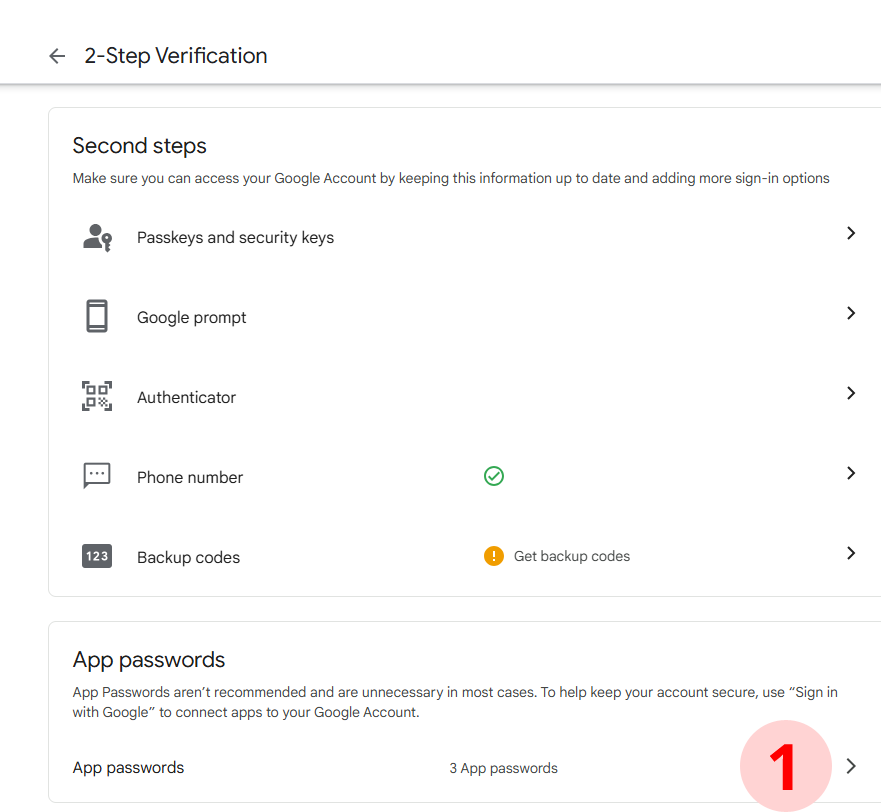
1) Scroll down to "App passwords" and select it. If you don't see "App passwords", please activate 2-Step Verification on your account. This is required.
Step 3.
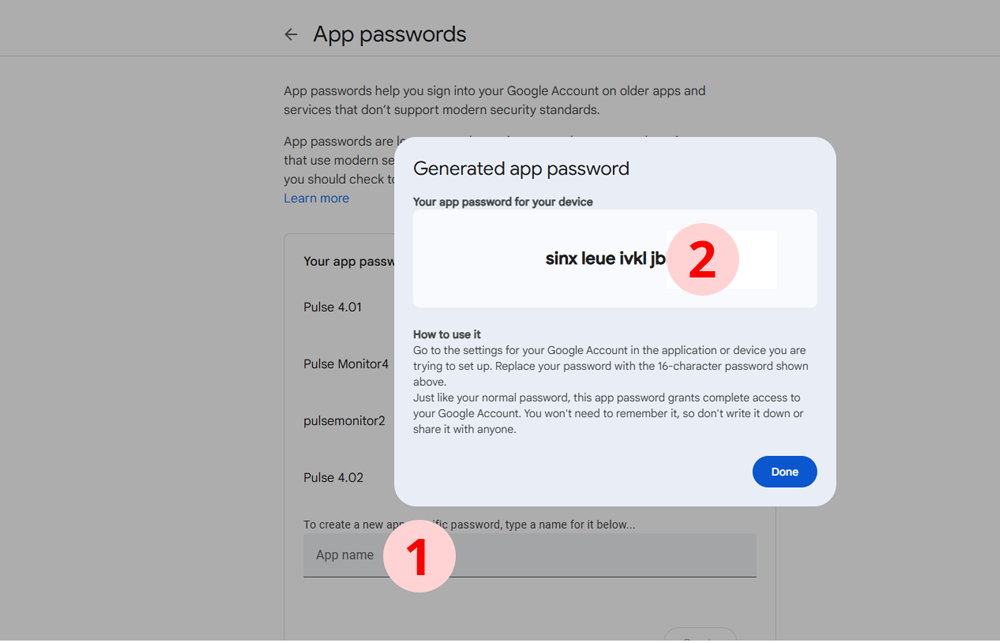
1) Enter the name "Pulse Monitor". The name is not important, it is only for your information.
2) Press the "Enter" button.
Step 4.
1) The new password will be shown. Now, use this password instead of your master password to set up your Gmail account in the Pule monitor app.